
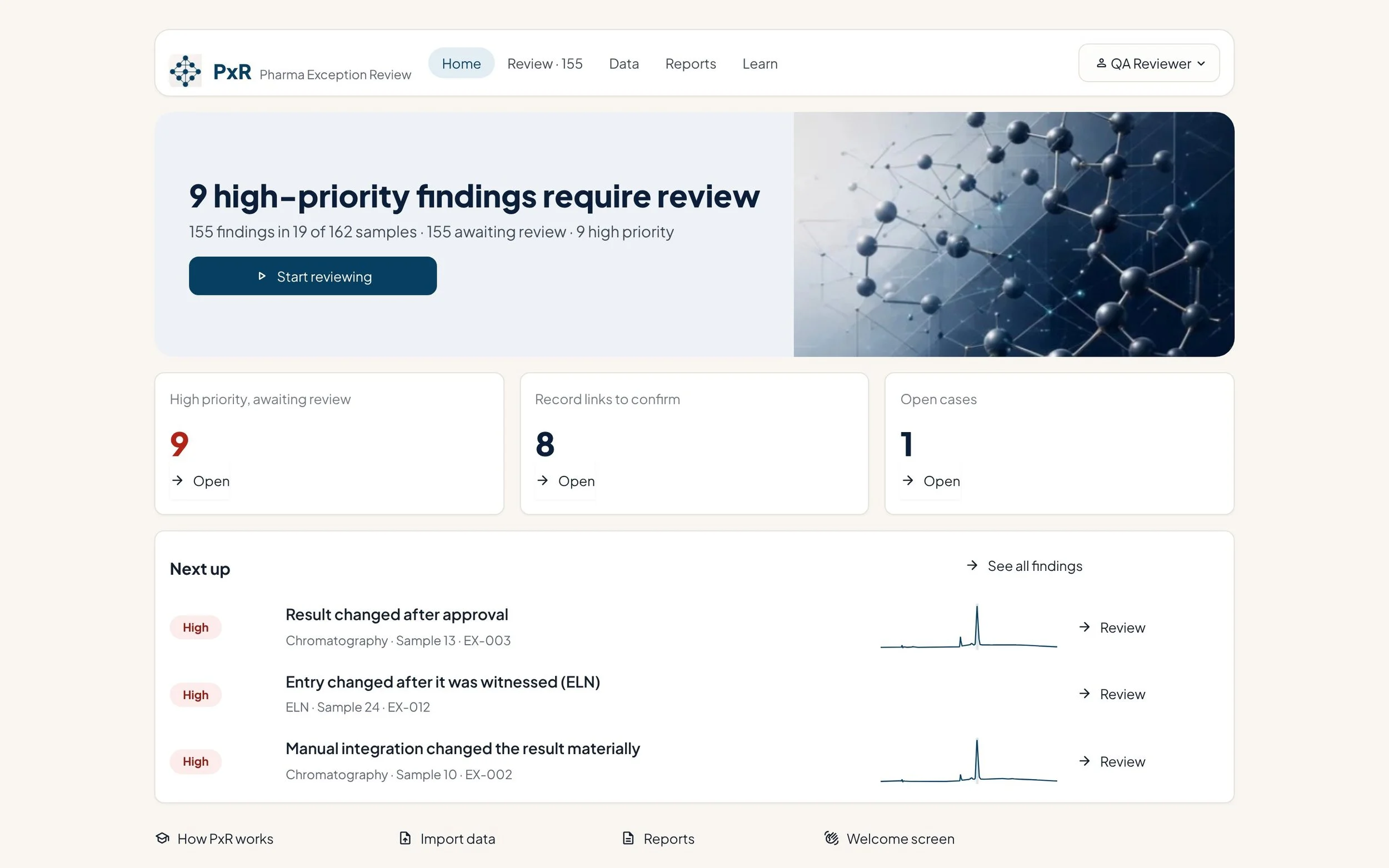
Spend review time where it matters
Most laboratory records are clean. The risk sits in the few that were reprocessed, changed after approval or passed only on a retest — and those are the ones a full manual review can miss.
Review by exception
PxR surfaces only the records that need attention, highest priority first, so reviewers stop re-checking everything that is clean.
Every flag explained
32 documented checks — 16 for results and 16 for audit trails — such as a result changed after approval, manual integration with a material change, or an ELN entry edited after signing. Each finding shows its evidence, and checks a source could not support are listed. No black-box model decides.
Decisions you can defend
Every decision needs a reason, is attributed and timed and, in secure mode, electronically signed. Only QA can close a finding, nobody can clear their own, and earlier decisions are kept as history.
From your exports to a signed decision in four steps
Bring your exports
CSV, Excel, XML or AIA/ANDI files from the systems you already run. The Import Wizard maps your column names once.
Rules flag exceptions
Fixed, documented rules check each result and audit trail and explain exactly why a record was flagged.
A reviewer decides
One finding at a time, with the evidence in order. The reviewer confirms, dismisses with a reason, or opens a case.
Cases and reports
Investigation cases, batch review summaries and the audit trail, ready for QA and management.
See what reviewers see
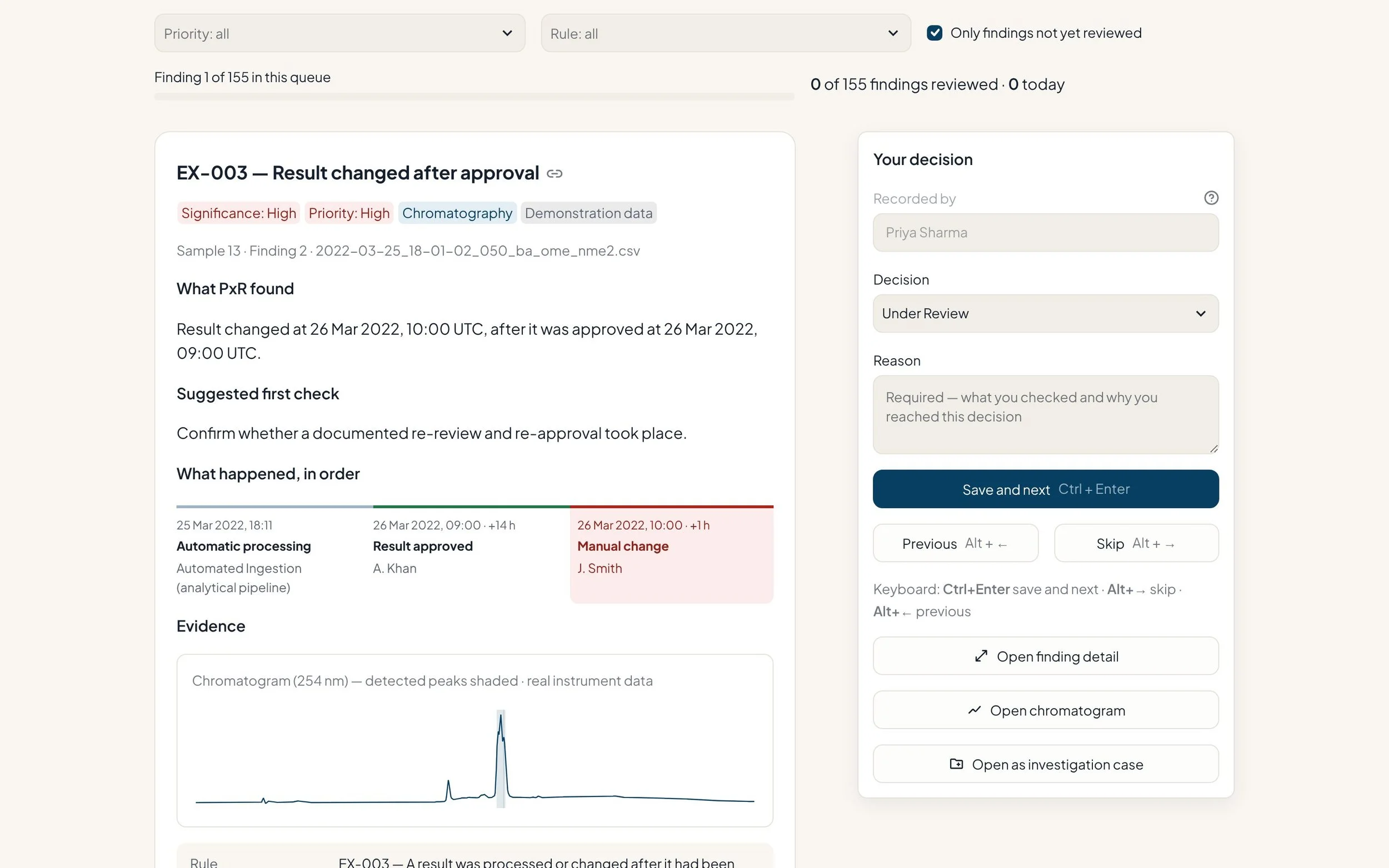
One finding at a time, with the evidence in order
Each finding shows what PxR detected, what happened in sequence and the instrument evidence — the chromatogram, the value change and the reason given.
- Highest-priority findings first
- The chromatogram beside the decision
- A reason required for every decision
Review any audit trail — even without a results file
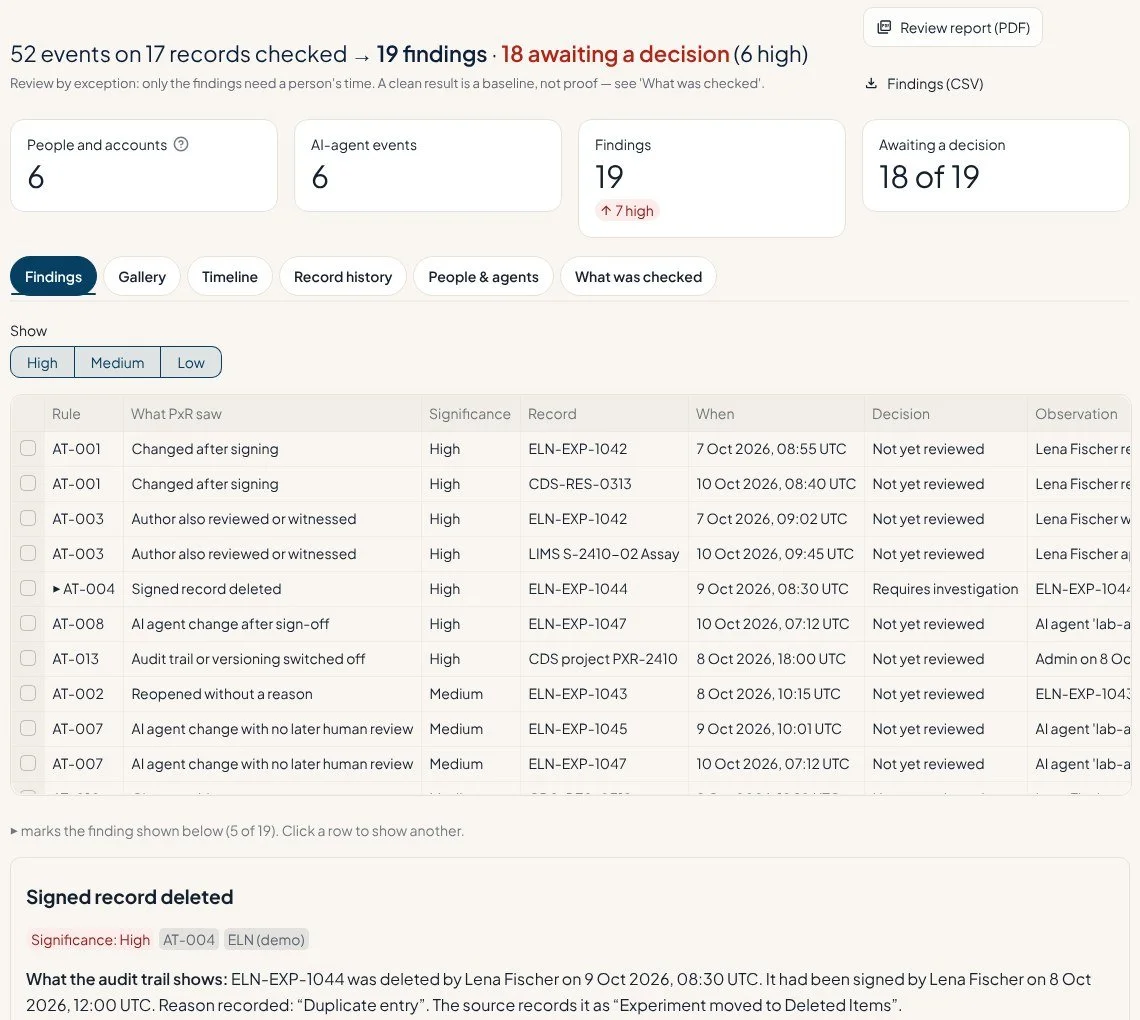
Bring a CDS, ELN, LIMS, instrument or AI-agent audit trail and PxR checks it against 16 documented audit-trail checks — such as changes after signing, signed records deleted, authors reviewing their own work and AI-agent changes with no human review — wherever the export records the events needed.
- Vendor audit trails read as exported, or mapped once
- Every file fingerprinted (SHA-256)
- “What was checked” shows which checks could run on each source
See what changed after an entry was signed
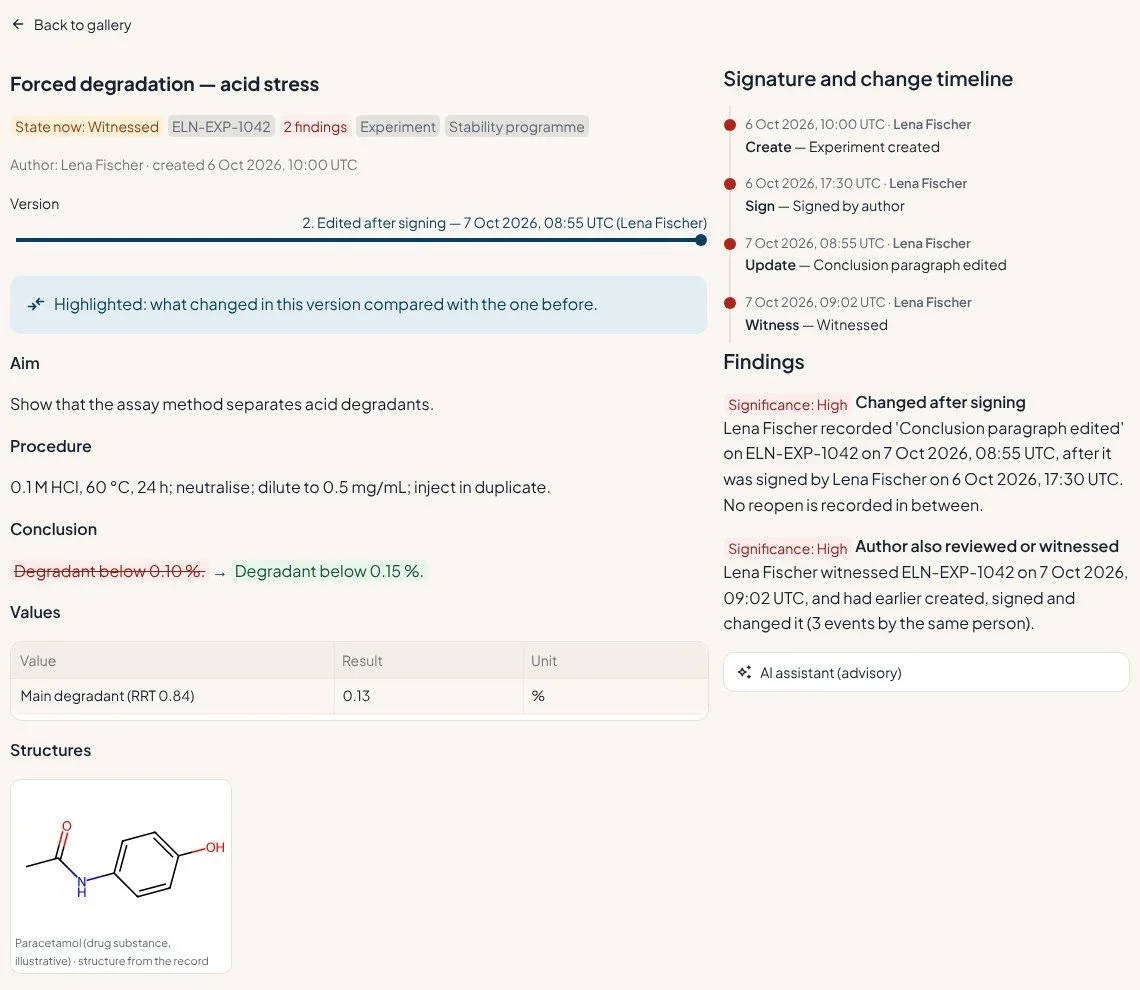
For an electronic lab notebook, PxR shows each entry as a card and lets you step through its versions — so a conclusion edited after signing is visible in seconds, beside the values, files, structures and signature timeline.
- Version slider with a highlighted difference
- Chemical structures drawn from the record
- One-click audit-trail review report (PDF) with a sign-off block
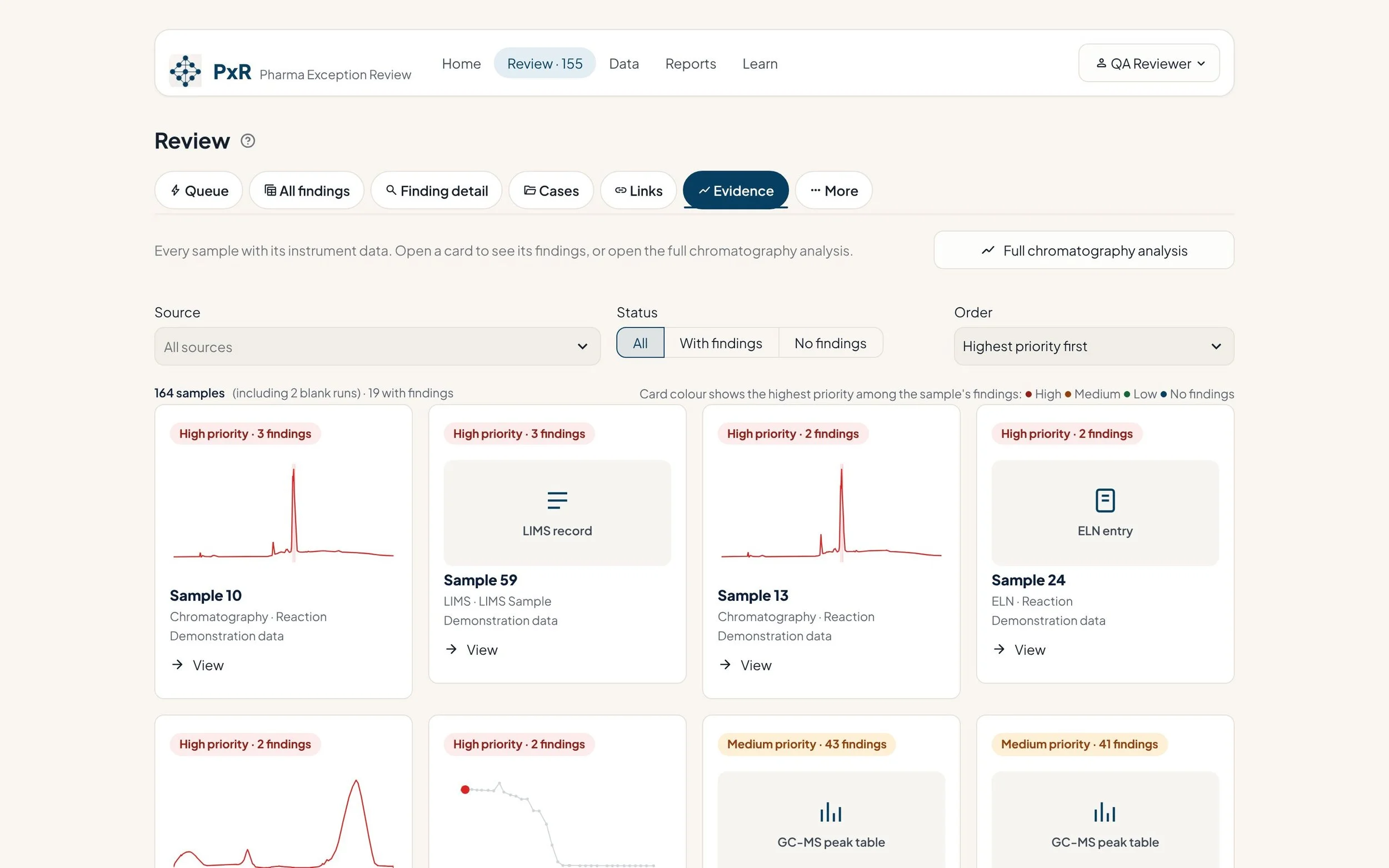
The data behind every finding, not just the audit trail
Every sample appears with its own instrument data — chromatograms, spectra and LIMS or ELN records — so a reviewer can see whether the measured signal supports the reported result.
- Real chromatograms with detected peaks
- Samples ordered by the priority of their findings
- Full chromatography analysis one click away
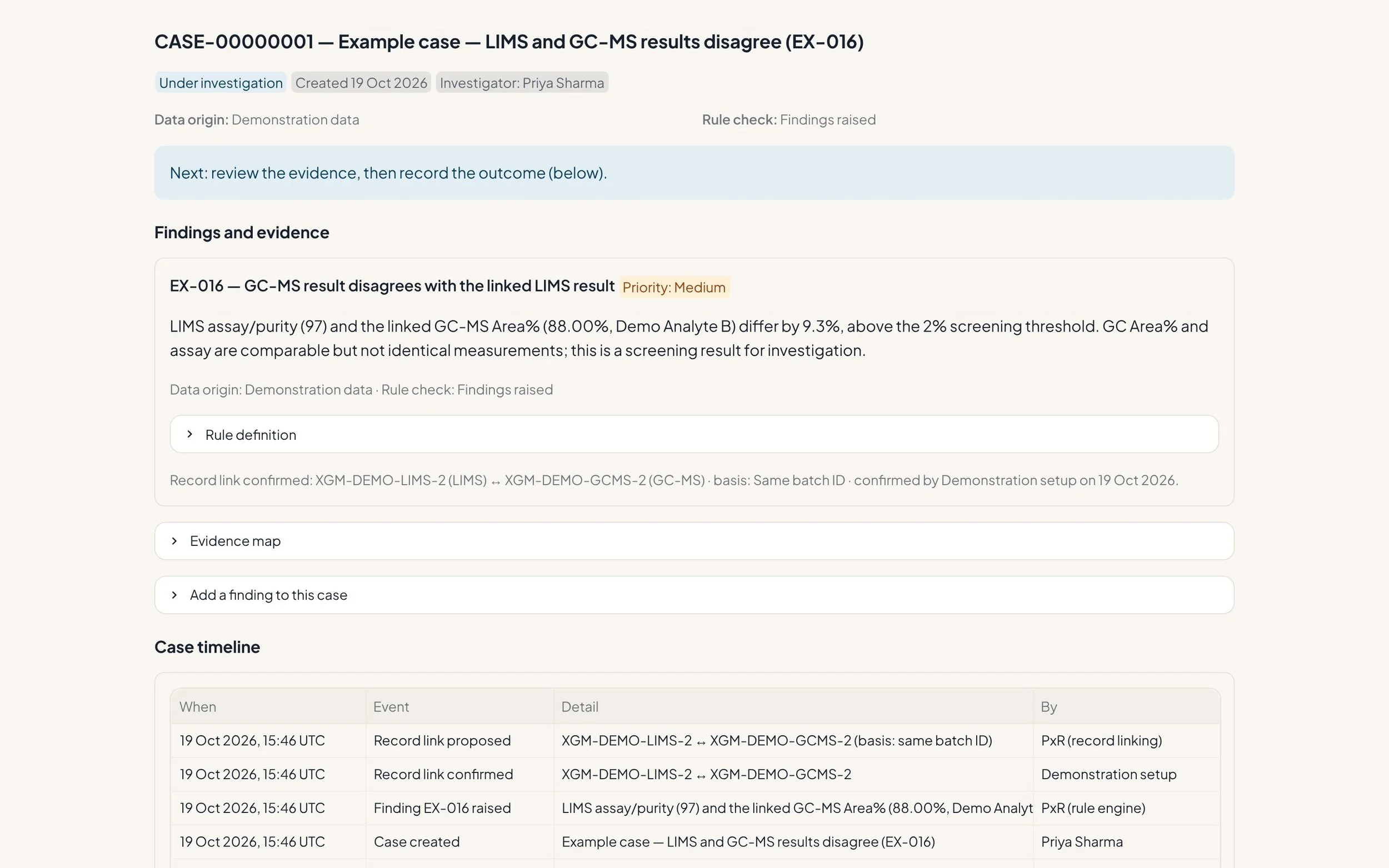
Investigate across systems, not in silos
When a LIMS result and a GC-MS run belong to the same sample, PxR proposes the link, a person confirms it, and the discrepancy becomes one investigation case.
- Related findings grouped into one case
- Timeline, evidence and outcome together
- Printable case report
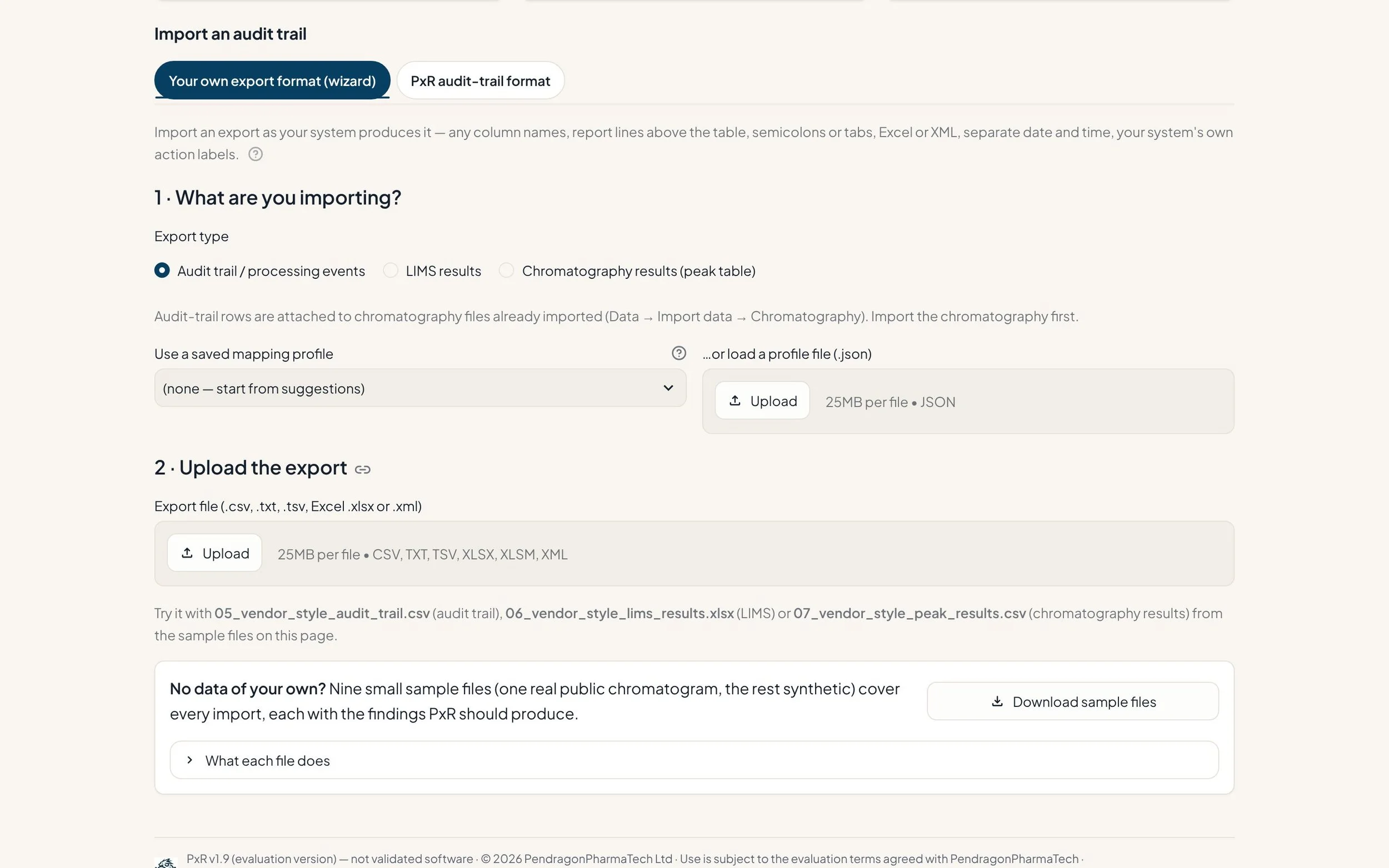
Your exports, as your systems produce them
Map an audit-trail, LIMS or results export once — any column names, title lines, separators or date formats. PxR validates every row and keeps a traceable import record.
- CSV, Excel, XML and AIA/ANDI chromatograms
- Unit conversion only where valid
- Saved mappings per system and export
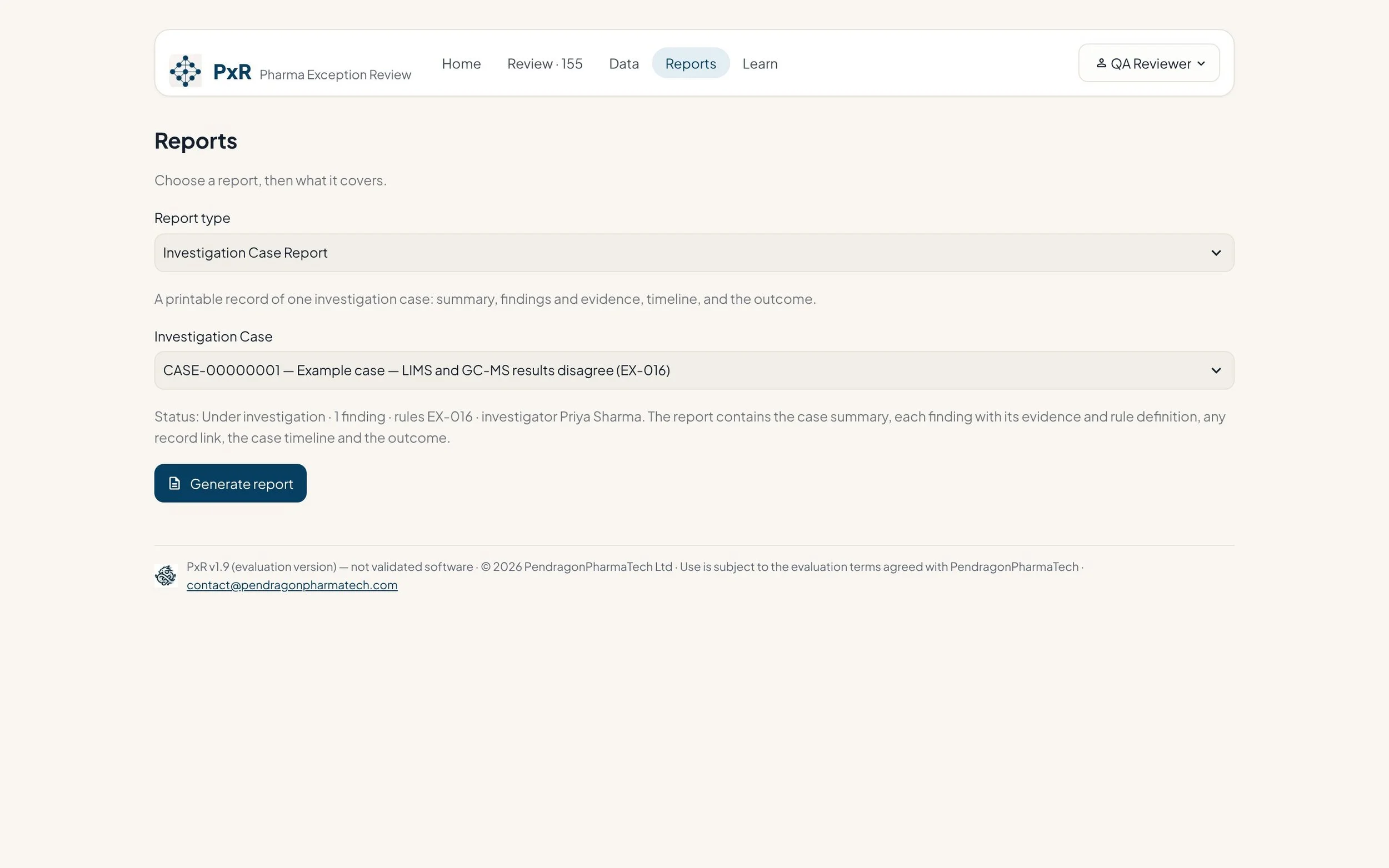
Reports for QA and management
Generate a case report, a batch review summary, the audit trail with signatures, or a pilot ROI estimate — all built from the same records reviewers worked on.
- PDF case and batch reports
- Audit trail and e-signature report
- Review-time measurement and ROI estimate
Designed for regulated laboratories from the start
Tamper-evident audit trail
In secure mode, PxR actions are recorded in a hash-chained log with an integrity check, alongside the source system's own audit events.
Electronic signatures
In secure mode: individual accounts, role-limited signature meanings and signatures bound to the content that was signed.
Controlled ingestion
Validate, preview, confirm, ingest — with a checksum and import record for every file.
Validation-ready pack
User requirements, traceability matrix, OQ test scripts and a supplier test-evidence report to support your own validation for your intended use.
Optional AI, advisory only
Reads only the case's own evidence and never makes a decision. The provider is configurable, and it can be switched off entirely.
Honest status
PxR is an evaluation version and has not been validated for production GxP use. Its documentation is designed to support customer-led validation, not to replace it.
Works from the exports your systems already produce
No connectors or system access are needed to start. PxR complements your CDS, LIMS and ELN — it does not replace them.
Exports from Empower, Chromeleon, OpenLab and similar systems are supported through standard export formats, and several vendor audit-trail layouts are read as exported (labelled provisional until tested on your own export). Native vendor raw-data files are not read directly.
A hosted evaluation copy is available for 2–3 weeks
Work through the demonstration data in your browser — results, audit trails, ELN entries and cases — with a 15-minute test script. Nothing to install; your session is private and deleted automatically. Please do not upload real or confidential data.

Designed by people who have done the review
PxR was designed and built by PendragonPharmaTech, drawing on more than 20 years of laboratory informatics, GxP and computer system validation work for leading global pharmaceutical companies — including chromatography data system roll-outs, electronic lab notebooks and regulated data platforms.
Frequently asked
Does PxR replace our CDS, LIMS or ELN?
No. It reads their exports and adds a review and investigation layer on top of them.
Is PxR validated?
Not yet — it is an evaluation version and has not been validated for production GxP use. Its requirements, traceability and test documentation are designed to support your own validation for your intended use.
Do we need to integrate it with our systems?
Not for a pilot. Exported files are enough; integration can follow later if it makes sense.
Can PxR review an audit trail without results?
Yes. The Audit trails page checks a CDS, ELN, LIMS, instrument or AI-agent audit trail on its own and produces a review report. It also shows which checks your source could support and why others could not.
Does AI make decisions?
No. Detection uses fixed, explainable rules and every decision is made by a person. The optional AI assistant only helps explain the evidence in a case.
See PxR on your own data
Book a short call to scope a free 2–3 week Ghost Pilot.